
Table of Contents
Jellyfin OIDC Plugin




This plugin allows users to sign in through an OIDC provider (such as Google, Microsoft, or your own provider). This enables one-click signin.
For differences between this and 9p4's plugin see Differences between jellyfin-plugin-sso and this plugin
Current State:
This should probably work most of the time! PRs are welcome to improve the code.
This is for Jellyfin >=10.11.11 and only on the Web UI or clients supporting Quick Connect
📝 Note: v6.0.0.1 is the only release for 10.11.11. All future releases will be for JellyFin version 12 and up
Tested Providers
Find provider specific documentation in providers.md
- Authelia
- authentik
- Keycloak
- Pocket ID
- Kanidm
- Google OAuth2 (set username claim to
email)
Supported Protocols
Security
This is my first time writing C# so please take all of the code written here with a grain of salt. This program should be reasonably secure since it validates all information passed from the client with either a certificate or a secret internal state.
Installing
Add the package repo https://gitea.narnian.us/api/packages/lordwelch/generic/jellyfin-plugin-oidc/latest/manifest.json to your Jellyfin plugin repositories.
Then, install the plugin from the plugin catalog!
See Contributing for instructions on how to build from source.
Installing alpha builds
If you want to there is a manifest for alpha builds but it may change without warning and may not work.
https://gitea.narnian.us/api/packages/lordwelch/generic/jellyfin-plugin-oidc/latest/manifest.json
Roadmap
- Automatically add user self-service link using jellyfin-plugin-pages
- Automatically add login button using jellyfin-plugin-file-transformation
Examples
Setting custom claims
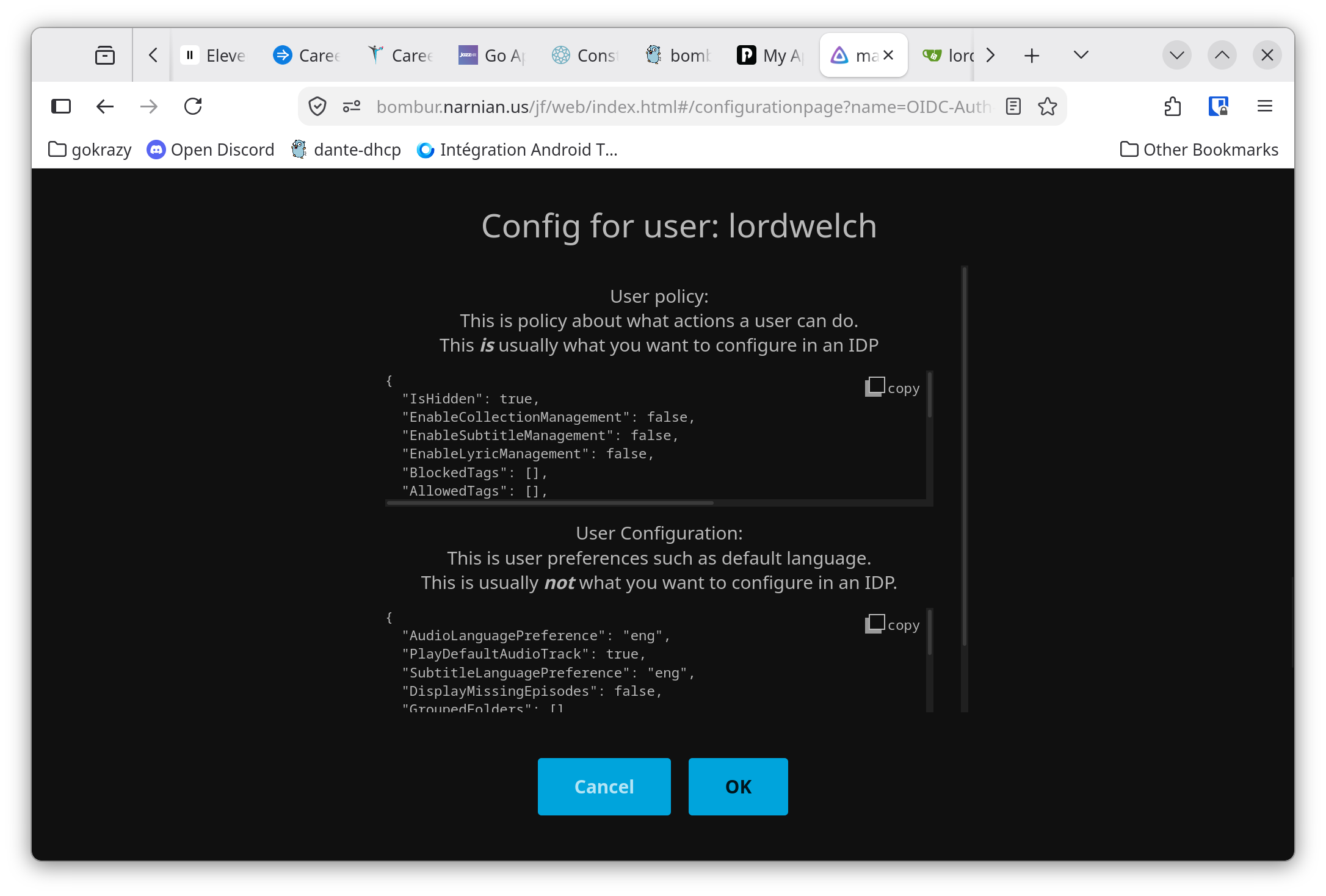
User configuration is controlled via custom claims from the OIDC authentication.
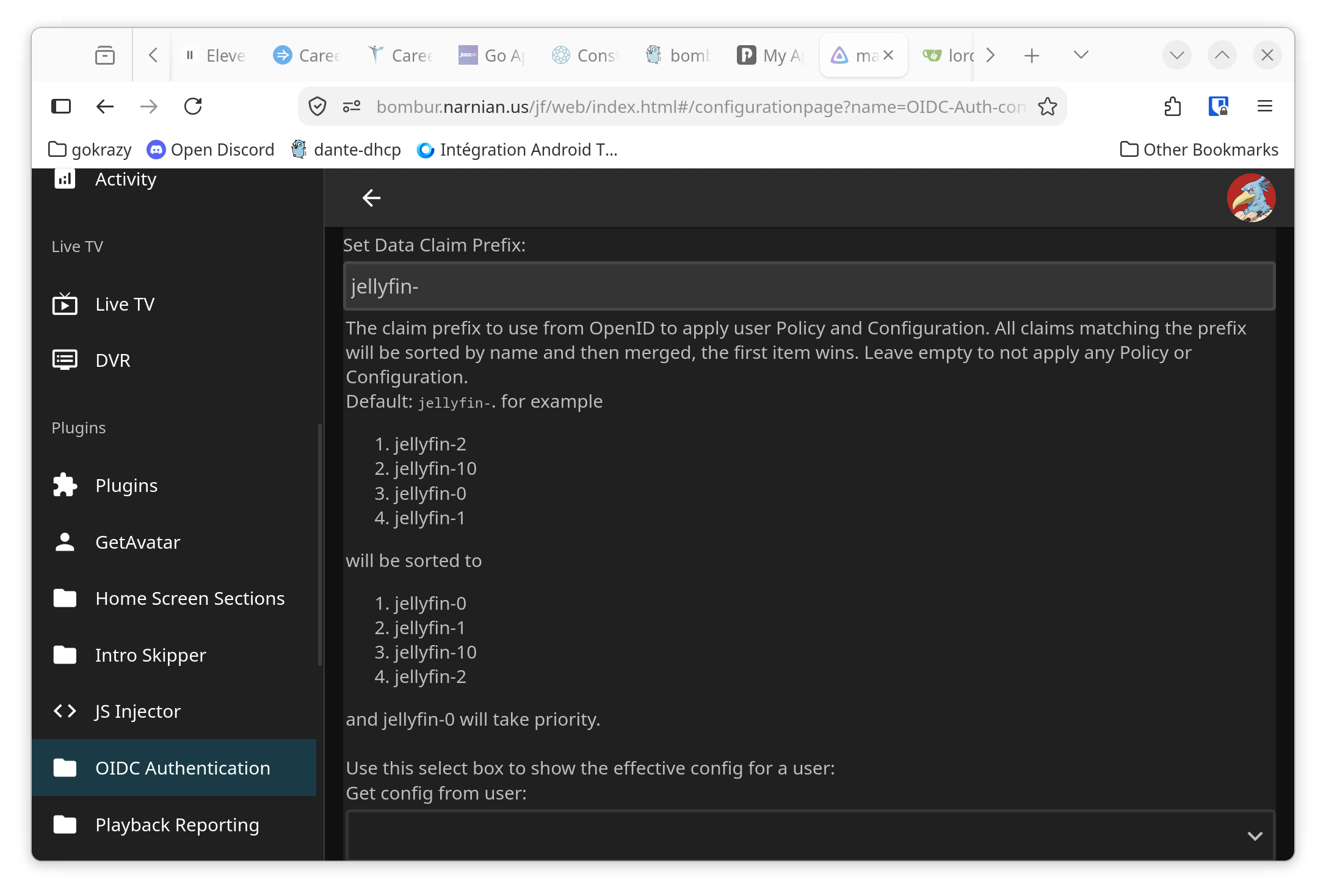
The default is to merge all claims that begin with jellyfin-
For example in [Pocket ID] you can setup groups that have Custom Claims
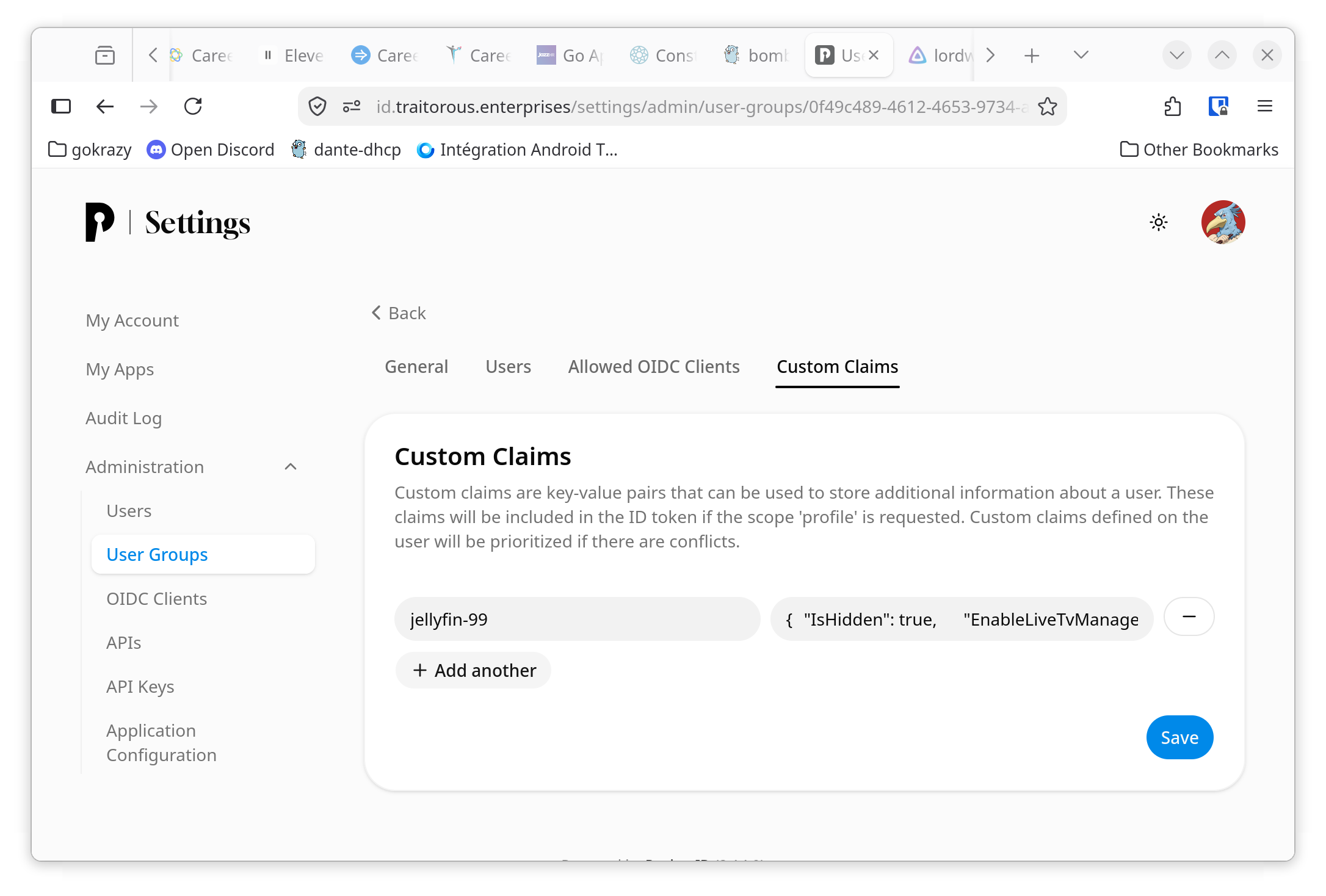
You can setup groups to have different rating levels
📝 Note: custom claims are sorted by text so
jellyfin-10comes beforejellyfin-2
-
Group name: JellyFin
Custom Claim: jellyfin-99
content:
{
  "IsHidden": true,
  "EnableLiveTvManagement": false,
  "EnableLiveTvAccess": false,
  "EnableMediaPlayback": true,
  "EnableAudioPlaybackTranscoding": true,
  "EnableVideoPlaybackTranscoding": false,
  "EnableContentDeletion": false,
  "EnableContentDownloading": true,
  "EnableSyncTranscoding": false,
  "EnableMediaConversion": true,
  "SyncPlayAccess": "CreateAndJoinGroups"
}
Config explanation:
Configuration item Explanation of what it does IsHidden Do not show the profile picture before login EnableLiveTvManagement Explicitly disable live tv (I don't have any live tv) EnableLiveTvAccess Explicitly disable live tv (I don't have any live tv) EnableSyncTranscoding Explicitly disable live tv (I don't have any live tv) EnableMediaPlayback Explicitly enable playback EnableAudioPlaybackTranscoding Allow audio transcoding EnableVideoPlaybackTranscoding Disable Video transcoding (I'm running on a machine without hw acceleration) EnableContentDeletion Explicitly disable deleting content EnableContentDownloading Explicitly enable downloading EnableMediaConversion Enable re-muxing without transcoding SyncPlayAccess Explicitly Enable sync play -
Group name: JellyFin PG
Custom Claim: jellfin-10
content:
{
  "MaxParentalRating": 10,
  "MaxParentalSubRating": 0,
  "BlockedTags": [
    "blocked"
  ],
  "BlockUnratedItems": [
    "Book",
    "ChannelContent",
    "LiveTvChannel",
    "Movie",
    "Music",
    "Trailer",
    "Series"
  ]
}
Config explanation:
Configuration item Explanation of what it does MaxParentalRating Set max rating to PG MaxParentalSubRating Don't allow TV-PG and related ratings BlockedTags Explicitly block any media that has the blockedtagBlockUnratedItems Explicitly block all unrated items (Jellyfin makes you list all items here) -
Group name: JellyFin TV-14
Custom Claim: jellyfin-20
content:
{
  "MaxParentalRating": 14,
  "MaxParentalSubRating": 1,
  "BlockedTags": [
    "blocked"
  ],
  "BlockUnratedItems": [
    "Book",
    "ChannelContent",
    "LiveTvChannel",
    "Movie",
    "Music",
    "Trailer",
    "Series"
  ]
}
Config explanation:
Configuration item Explanation of what it does MaxParentalRating Set max rating to PG-13 MaxParentalSubRating Do allow TV-14 and related ratings BlockedTags Explicitly block any media that has the blockedtagBlockUnratedItems Explicitly block all unrated items (Jellyfin makes you list all items here)
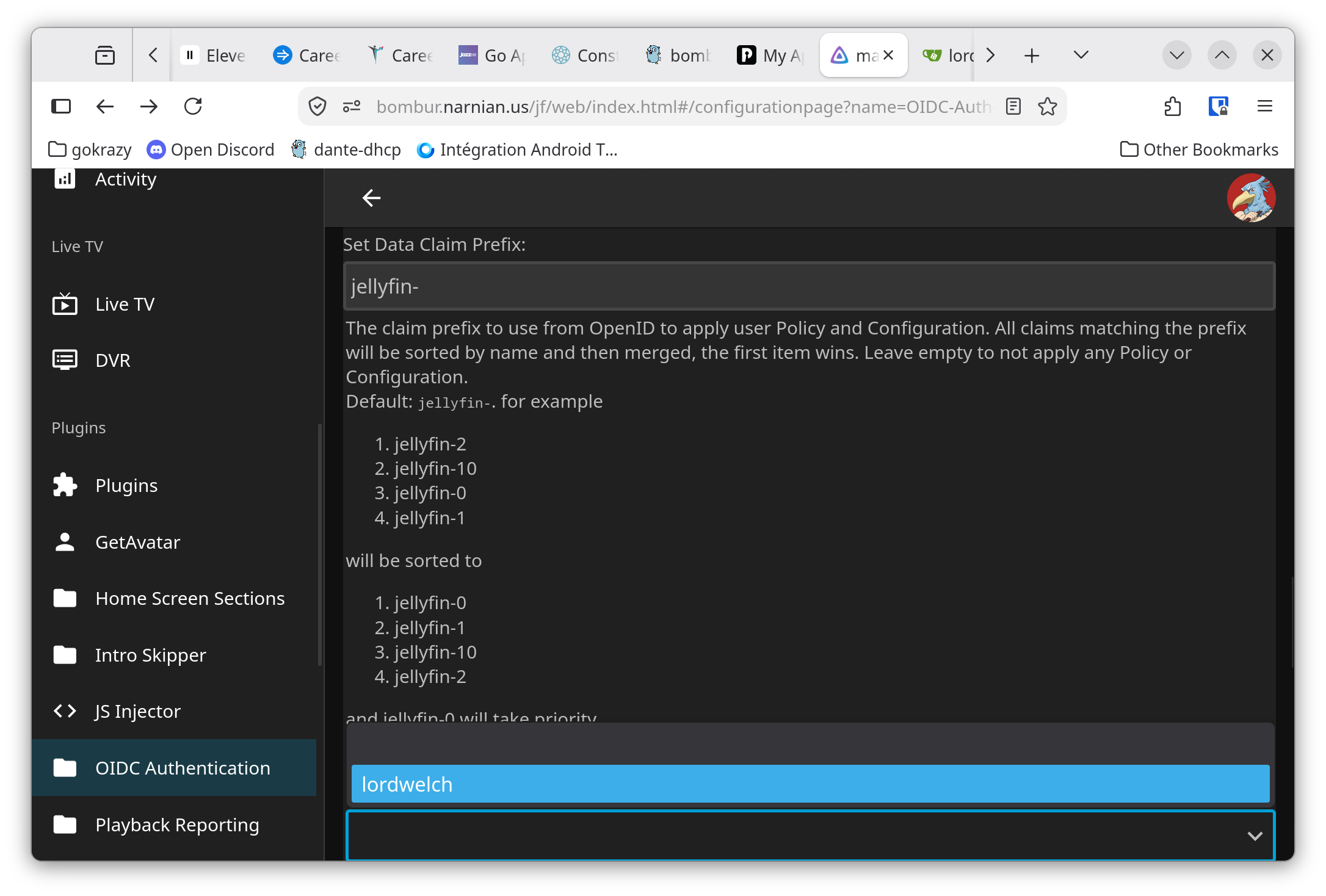
You can get a full listing of the supported configuration items on the plugin config page
Creating A Login Button On The Main Page
In the Jellyfin administration UI, under "General", there is a "Branding" section. In that section, add the following code in the "Login disclaimer" block (replacing PROVIDER_NAME and the domain):
<form action="https://jellyfin.example.com/oidc/start/PROVIDER_NAME">
  <button class="raised block emby-button button-submit">
    Sign in with OIDC
  </button>
</form>
Then, add the following code in the "Custom CSS code" section:
a.raised.emby-button {
  padding: 0.9em 1em;
  color: inherit !important;
}

.disclaimerContainer {
  display: block;
}

API Endpoints
The API is all done from a base URL of /oidc/
OpenID
Flow
- GET
oidc/redirect/PROVIDER_NAME: This is the OpenID callback path. This will return HTML and JavaScript for the client to login with a given provider name. - GET
oidc/start/PROVIDER_NAME: This is the OpenID initiator: it will begin the authorization flow for OpenID with a given provider name. - POST
oidc/Auth/PROVIDER_NAME: This is the OpenID client-side API: the HTML and JavaScript client will call this endpoint to receive Jellyfin credentials for a given provider name. Post format is in JSON with the following keys:deviceId: string. Device ID.deviceName: string. Device name.appName: string. App name.appVersion: string. App version.data: string. The OpenID state. Used to verify a request.
Configuration
These all require authorization. Use the Authorization header with an api key:
curl 'Authorization: MediaBrowser Token="<API_KEY>"' 'http://myjellyfin.example.com/oidc/Get'
See https://gist.github.com/nielsvanvelzen/ea047d9028f676185832e51ffaf12a6f for the "Most Official" resource on api keys
- POST
oidc/Add/PROVIDERNAME: This adds or overwrites a configuration for OpenID with a given provider name. It accepts JSON with the following keys and format:Issuer: string. The OpenID endpoint. Must have a.well-knownpath available.ClientId: string. The OpenID client ID.ClientSecret: string. The OpenID secret.enabled: boolean. Determines if the provider is enabled or not. (default isfalse).enableAuthorization: boolean: Determines if the plugin controlls admin/user access. If false, all users authenticated by the OIDC provider will be allowed Admin permissions will not be modified. If true, then the roles from the provider will be checked the roles specified inUserRoleandAdminRoleif they do not have either role access will be denied. (default isfalse).LoadProfile: bool. If we should use the userinfo endpoint to retrieve claims. (defaulttrue)UsernameClaim: string. The claim in the OpenID response that contains the users username. If not set, it fallbacks topreferred_username.AvatarUrlClaim: string. The claim in the OpenID response that contains the url for the users profile picture. (default ispicture).RoleClaim: string. The claim in the OpenID response that contains the users roles. (default isgroups).UserRole: string. If this value is inRoleClaimthen the user will be allowed access to Jellyfin as a user. Leave blank to allow all users access to Jellyfin (default isjellyfin).AdminRole: string. If this value is inRoleClaimthen the user will be elevated to an admin, admins are allowed even if they do not have theUserRole. Leave blank to disable changing admin permissions (default isjellyfin-admin).DataClaimPrefix: string. The claim prefix in the OpenID response to use for user configuration. All claims matching this prefix will be converted into json and merged to apply configuration to users when they login. (defaultjellyfin-)DataClaims: array of strings. Claims in the OpenID response to use for user configurationDataClaimPrefixtakes priority. Leave empty to disable.Scopes: array of strings. Each contains an additional scope name to include in the OIDC request.- For some OIDC providers (For example, authelia), additional scopes may be required in order to validate group membership in role claim.
- Leave empty to only request the default scopes.
- (default is [
profile,groups]).
defaultProvider: string. The set provider then gets assigned to the user after they have logged in. If it is not set, nothing is changed. With this, a user can login with OIDC but is still able to log in via other providers later. See theUnregisterendpoint. (default isJellyfin.Server.Implementations.Users.DefaultAuthenticationProvider).PortOverride: int. For when you can't get your router/http proxy to do the right thing. (default isnull).ValidateEndpoints: boolean. Determines whether the OpenID discovery process will validate endpoints. This does not need to be enabled. If you want a checkbox to say "I'm more secure" you can enable this but it serves no real purpose (default isfalse)PushedAuthorization: boolean. Set to false if your provider has issues with PushedAuthorization. This should never be disabled (default istrue).AuthenticationTimeout: int. Amount of time in minutes a user has to finish an authentication before having to start over. I'm not certain if this provides any real benefit (default is5).ValidateIssuerName: boolean. Determines whether the OpenID discovery process will validate the OpenID issuer name. This should never be disabled (default istrue).
- GET
oidc/Del/PROVIDER_NAME: This removes a configuration for OpenID for a given provider name. - GET
oidc/Get: Lists the configurations currently available. - GET
oidc/Get/default: Gets the default configuration for a new provider. - GET
oidc/States: Lists currently active OpenID flows in progress.
Misc
- POST
Unregister/username: This "unregisters" a user from OIDC. A JSON-formatted string must be posted with the new authentication provider. To reset to the default provider, useJellyfin.Server.Implementations.Users.DefaultAuthenticationProviderlike so:
curl -X POST -H 'Content-Type: application/json' -H 'Authorization: MediaBrowser Token="<API_KEY>"' -d '"Jellyfin.Server.Implementations.Users.DefaultAuthenticationProvider"' 'https://myjellyfin.example.com/oidc/Unregister/username'
Limitations
Logging in with an OIDC account that has the same username as an existing Jellyfin account that is already linked to the same provider will fail.
Logging in with an OIDC account that has the same username as an existing Jellyfin account that is already linked to different provider will automitically link the account.
There is no logout callback. Logging out of Jellyfin will log you out of Jellyfin only, instead of the OIDC provider as well.
Sometimes links to new users can get undone if you are editing the config at the same time that a user logs in.
Contributing
Building
This is built with traitorous-jprm Run:
jprm repo build --changelog 'Development Testing' ./manifest.json
or you can use the appropriate dotnet commands to build it yourself.
The plugin zip will be in ./artifacts and you can then manually install the plugin
Releasing
This plugin uses traitorous-jprm.
Build the zipped plugin with
jprm --verbosity=debug repo build --url 'https://{hostname}/api/packages/{owner}/generic/{project}/{version}/{slug}_{version}.zip' ./manifest.json -c '<changelog here>' --version '<new version here>'
Credits and Thanks
Much thanks to 9p4 and jellyfin-plugin-sso for making this first.
I use the Duende IdentityModel OIDC Client library for the OpenID side of things not because I think it's particularly good library but because it does handle the authentication side of OIDC decently.
Thanks to these projects, without which I would have more work to do.
Differences between jellyfin-plugin-sso and this plugin
- No SAML. Because FUCK SAML. I haven't read this but it's probably right https://joonas.fi/2021/08/saml-is-insecure-by-design/
- A new configuration file is used. You must create a new config, a new file and new keys are used previous configuration is not compatible
- I hate how dotnet/C# is written so there are actual imports that use namespaces instead of importing everything into one single namespace.
- All web routes are now on the sub-path
/oidcand work if jellyfin is on a sub-path. - User configuration is done entirely via json claims from the OIDC Provider. Most configuration options for users can be enforced in this way.
- https only. Figure out letsencrypt or tailscale or CloudFlare Tunnels with always use https.
- As much as possible jellyfin resources are used instead of re-implementing them outside of jellyfin
- Scripts are injected into an iframe to take advantage of the same ApiClient that config pages get
- the standard jellyfin web-ui is extracted from the index.html and loaded in the background so that native styles are taken from jellyfin.
- Users are linked to OIDC providers based on the
subclaim initial code merged from https://github.com/vanutp/jellyfin-plugin-sso